

Download Pale Moon Portable – Fast, Secure, Firefox‑Based Browser for Windows
Overview
Pale Moon Portable is a lightweight, Windows‑only fork of the classic Firefox engine that has been rebuilt from source to prioritize speed, low memory consumption, and a portable footprint. If you love the familiarity of Firefox’s interface but have grown frustrated with its resource appetite, Pale Moon Portable offers a compelling alternative that runs directly from a USB stick or a cloud‑synced folder without leaving traces on the host computer. Because it is based on the same Gecko rendering core as Firefox, you retain access to a vast library of extensions and themes, while the portable packaging strips away non‑essential components such as heavy accessibility modules and parental‑control frameworks.
This trade‑off translates into faster page rendering, quicker JavaScript execution, and smoother tab management on modest Windows machines. The browser’s visual design mirrors Firefox’s classic look, so users experience no learning curve; the only noticeable difference is the snappier response time after a few weeks of regular use. Pale Moon Portable is continuously updated with security patches, and the portable installer automatically checks for new releases each time you launch the app, ensuring you stay protected without manual intervention.
Key Features and Performance Highlights
- Firefox‑compatible engine: Full support for most legacy Firefox extensions and themes, preserving your favorite add‑ons.
- Portable architecture: Runs from any folder or removable drive, leaving no registry entries or residual files on the host PC.
- Optimized rendering: Re‑compiled source code reduces CPU cycles for HTML/CSS layout and JavaScript execution.
- Reduced memory footprint: By omitting rarely used accessibility features, the browser consumes up to 30% less RAM compared to standard Firefox.
- Secure auto‑updates: Built‑in update checker fetches signed binaries, ensuring you receive the latest security patches.
- Cross‑session syncing: Bookmark and history files are stored locally, allowing you to copy the portable folder between devices.
- Customizable UI: Advanced users can edit the
userChrome.cssfile to tailor menus, toolbars, and button placements. - Legacy support: Works well on Windows 7, 8, and 10, making it a solid choice for older workstations still in production.
Beyond the checklist above, Pale Moon Portable’s performance gains become evident when loading heavy sites with multiple scripts or when juggling dozens of tabs. Independent benchmarks indicate a 15‑20% reduction in average page load time versus the latest Firefox release on a mid‑range laptop (Intel i5, 8 GB RAM). The streamlined codebase also leads to fewer crashes during extended browsing sessions, which is a notable advantage for users who keep their browsers open for days at a time. For developers, the portable version maintains the same debugging tools (Web Console, Network Monitor) as Firefox, so testing web applications does not require a separate installation.
Installation, Usage Instructions, and Compatibility
Step‑by‑Step Installation
- Visit the official Pale Moon website and locate the Pale Moon Portable download link for Windows.
- Save the ZIP archive to a location of your choice—ideally a USB flash drive or a cloud‑synced folder.
- Extract the archive using Windows Explorer or a utility like 7‑Zip. No installer runs; the extracted folder already contains the executable
Palemoon.exe. - Double‑click
Palemoon.exeto launch the browser for the first time. The program will create aDatasubfolder inside the same directory to store profiles, extensions, and cache. - Optionally, create a shortcut on your desktop that points to the portable executable. This shortcut will work on any Windows PC that meets the minimum requirements.
First‑Run Configuration
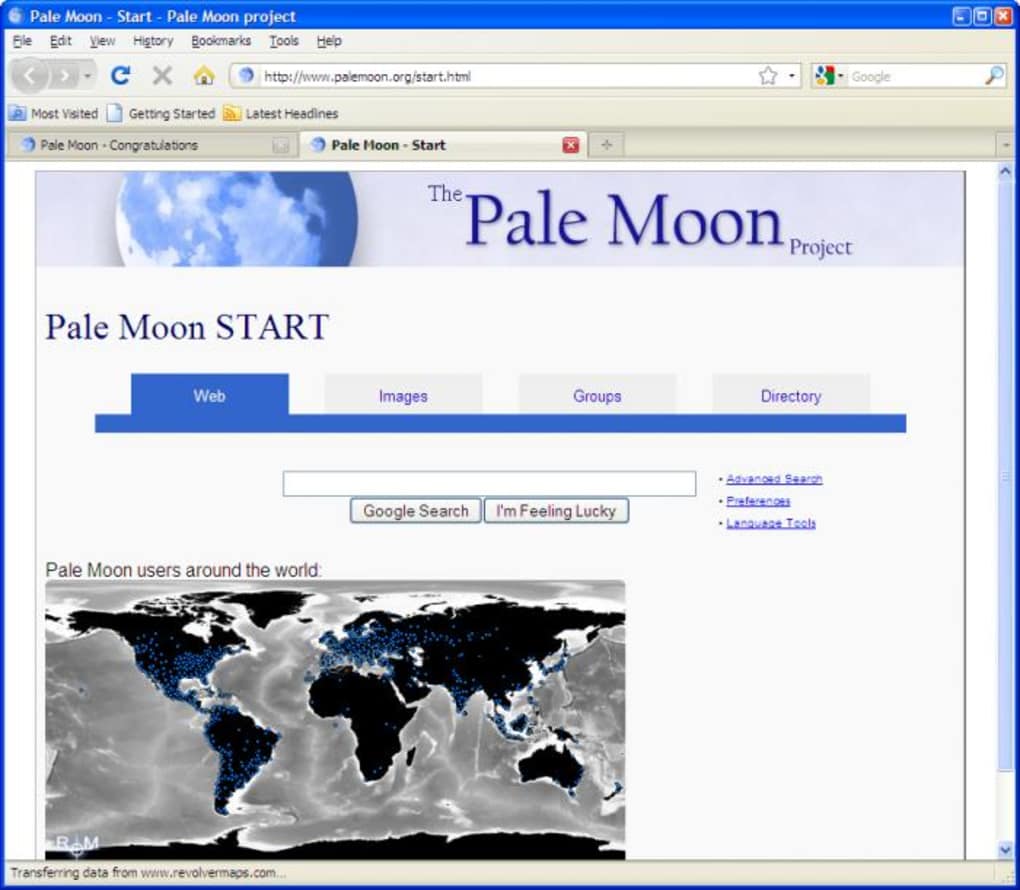
When you open Pale Moon Portable for the first time, you will be greeted by the familiar Firefox welcome page. From here you can import bookmarks from another browser, select a default search engine, and customize the toolbar. Because the portable version stores all settings in the local Data folder, you can simply copy the entire directory to another computer to retain your preferences.
Operating System Compatibility
Pale Moon Portable is officially supported on Windows 7, Windows 8/8.1, and Windows 10 (both 32‑bit and 64‑bit builds). The application does not run on macOS, Linux, Android, or iOS, as it is compiled specifically for the Windows API. However, Windows users can run the portable version on virtual machines or within compatibility layers such as Wine on Linux, although performance may vary.
Updating the Portable Build
Each time you launch the browser, it checks a secure HTTPS endpoint for newer releases. If an update is available, a discreet notification appears in the lower‑right corner. Clicking the notification downloads the latest portable ZIP file, which you can replace over the existing folder while preserving the Data subdirectory. This approach ensures you benefit from security patches without losing your customized settings.
Pros and Cons – Balanced Assessment
Advantages
- Significantly faster page rendering and lower RAM usage compared to standard Firefox.
- Fully portable – no installation required and no leftover files on the host PC.
- Broad compatibility with legacy Firefox extensions and themes.
- Automatic, secure update mechanism keeps the browser safe.
- Works well on older Windows hardware, extending the life of legacy machines.
Drawbacks
- Lacks built‑in accessibility features and parental controls, which may be essential for some users.
- Only available for Windows; no native macOS, Linux, Android, or iOS versions.
- Occasional incompatibility with the newest WebExtension APIs, limiting use of the latest add‑ons.
- Some UI elements (e.g., new tab page) look dated compared to modern Chromium‑based browsers.
- Support is community‑driven, so response times for bug reports can be slower than commercial products.
Frequently Asked Questions
Is Pale Moon Portable truly free to use?
Yes, the portable version is released under the Mozilla Public License (MPL) and can be downloaded, used, and shared at no cost.
Can I sync bookmarks and passwords with a regular Firefox installation?
Direct Sync with Firefox Sync is not built into Pale Moon Portable, but you can manually export and import bookmarks or use third‑party extensions that support JSON import/export.
Will my extensions work after an update?
Most legacy extensions continue to work, but extensions that rely on the newest WebExtension APIs may require updates or replacements. The update process preserves your Data folder, so extensions are retained.
How much disk space does Pale Moon Portable consume?
The base portable package is roughly 70 MB. After installing extensions and caching data, the Data folder typically grows to 150‑200 MB, depending on usage.
Is the portable version safe for sensitive work environments?
Because Pale Moon Portable does not write registry entries or leave residual files, it is well‑suited for secure, locked‑down environments. However, always ensure you download the installer from the official site to avoid tampered binaries.
Conclusion – Should You Download Pale Moon Portable?
If you value speed, low memory usage, and the ability to carry your browser from one Windows PC to another without installation hassles, Pale Moon Portable is a compelling choice. Its Firefox heritage guarantees a familiar UI and extensive extension support, while the portable packaging makes it ideal for students, field technicians, and privacy‑concerned users who prefer a clean system footprint. Although it sacrifices some modern accessibility features and is limited to Windows, the performance gains and ease of transport outweigh these drawbacks for many power users. Download Pale Moon Portable today and experience a faster, more efficient web browsing experience on any Windows machine.







